
SWITCHING TO MOBILE+
How switching to Mobile+ works
We review your current setup, confirm the right Mobile+ option for your team, and manage the rollout across SIM, eSIM, app, desktop, desk phone or your existing UC platform.
WHERE WE START
We start with how your team works today
Before recommending anything, we review your current phone setup, users, numbers, devices and call flows.
That means we can understand:
- Who needs business calling on mobile
- Which numbers need to stay in use
- How calls are routed today
- Whether users need SIM, eSIM, app, desktop or desk phone access
- Whether Mobile+ should operate as your phone system or extend your existing UC platform
Nothing changes until you have reviewed and approved the plan.
One mobile-first phone system. Multiple ways to deploy it.
Mobile+ gives you five ways to use your business phone system - depending on how your devices are set up.
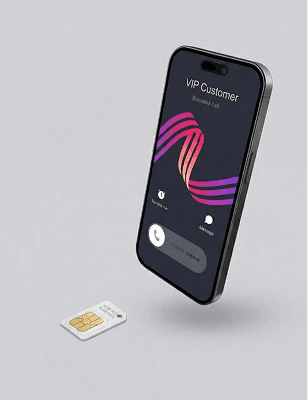
Mobile+ SIM
Business calling features built directly into a physical SIM - no additional equipment required.
Mobile+ eSIM
Business calling features built into an eSIM for compatible devices - no physical SIM swap needed.
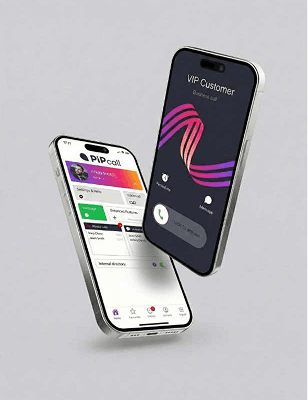
Mobile+ App
Access your business phone system through the Mobile+ app where a SIM change isn’t required.
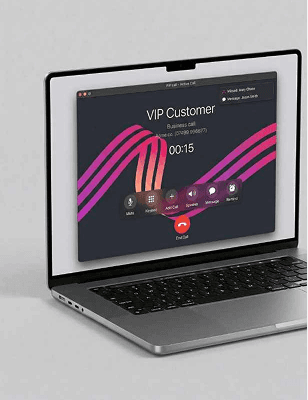
Softphone
Make and receive calls from your laptop or computer using a simple softphone app.
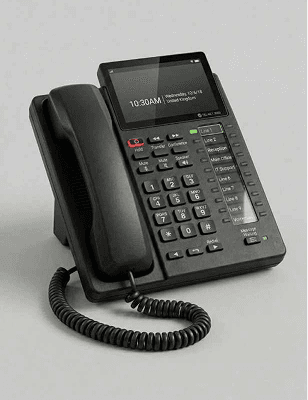
Desk phone
Integrates with most desk phones supplied by BT. It should be possible for us to switch your phone without physical interaction.
For SIM and eSIM users, calls are made through your phone’s native dialler, so the experience stays familiar. App users call over the same mobile voice network from a separate business number.
THE ROLLOUT
A clear rollout process, managed end to end
From setup review to go-live, we manage each step so the rollout stays clear and controlled.
Review your current setup
We gather the details we need: users, numbers, devices, call routing and any existing phone system or UC platform.
Confirm the best configuration
We map the right Mobile+ setup for your team, including SIM, eSIM, app, desktop and desk phone requirements.
Prepare your service
We configure users, numbers, call routing, shared numbers, hunt groups, recording and permissions before go-live.
Plan number transfer and activation
Where numbers need to move, we confirm the timing and manage the process so your team knows what to expect.
Go live with support
We support the go-live process and stay close afterwards to make sure users, numbers and call flows are working as expected.
More control over mobile business calling
Mobile+ gives your business stronger control over how mobile calls are made, routed, recorded and managed.

Network-level mobile calling
Business calls are carried over the mobile voice network — not Wi-Fi or mobile data — for clear, consistent conversations in real-world conditions.
Desk phone calling on mobile
Make and receive business calls on your mobile exactly as if you were at your desk — using your normal dialler.
Business numbers on mobile
Use your business and landline numbers on mobile devices without exposing personal numbers.

Call routing and hunt groups
Route calls to the right person or team and make sure important calls are always answered.
Call recording
Automatically record business mobile calls for training, review or compliance.
Admin portal and control
Manage users, numbers, call handling and recordings from one central platform.

“The transition felt seamless from start to finish.”
We kept our mobile service and numbers exactly as they were, our team didn’t have to change how they work, and we reduced our monthly costs in the process. It genuinely felt like a straightforward upgrade rather than a switch.
Operations Director
Frequently Asked Questions
No changes are made until your setup has been reviewed and approved. We agree the rollout plan with you before activation.
Yes, you keep your numbers. Mobile and geographic numbers can be ported across, and we manage the porting process end-to-end to minimise disruption.
Most SME deployments go live within 2 weeks once your configuration is confirmed. Larger or more complex estates are typically 3-4 weeks, mainly depending on porting windows and any call flow requirements.
Yes, where suitable. Mobile+ SIM and eSIM options can extend business calling to mobile users while keeping calls in the native dialler.
You’ll have UK-based support and a structured go-live plan. We monitor the service closely after activation and resolve issues quickly, including porting and configuration queries, with a named point of contact.
Yes. Users keep their handsets, and desk phones can remain in place where required. If your devices support it, eSIM can avoid a physical SIM swap. We’ll confirm the best option during your review.
For SIM and eSIM users, everyday calls are made through the phone’s normal dialler. The app can be used where a SIM/eSIM approach is not required.
Yes. Mobile+ can support SIMs, eSIMs, app users, desktop softphones and desk phones across one business phone setup.
Usually, yes, either a replacement SIM or an eSIM activation, depending on device compatibility and the agreed migration approach. We’ll confirm the best route during your switchover review.
Ready to see how Mobile+ would work for your team?
Tell us about your current setup and we’ll recommend the right Mobile+ configuration for your users, numbers and devices.
- Your numbers port across — you keep them
- Most SME deployments go live within 2 weeks
- SIM, eSIM, app, desktop and desk phone in one setup
- UK-based support and a named point of contact