
BT ONE PHONE CUSTOMERS
Has your service been switched off?
PiPcall offers a like-for-like replacement for BT One Phone. We can arrange a temporary reconnection of BT One Phone whilst you are considering our service.
Why PiPcall is a like-for-like replacement for BT One Phone
PiPcall is a UK communications specialist with over 15 years’ experience developing and delivering business phone systems and mobile services.
BT has been working with PiPcall to provide a replacement service for BT One Phone.
Our Mobile+ offering provides a like-for-like mobile UCaaS service built the same way — so your business voice service can continue with minimal disruption.


We maintain continuity on the network you already trust.
Comparison of BT One Phone to Mobile+
| Core functionality | BT One Phone | Mobile+ |
|---|---|---|
| Mobile Network | Included | Included |
| Business DIDs | Included | Included |
| Hunt Groups | Included | Included |
| Voicemail | Included | Included |
| Native Dialler Calling | Included | Included |
| SIM-Based UCaaS | Included | Included |
| eSIM Support | Limited | Included |
| Dedicated Controller App | Included | Included |
| Softphone Support | Included | Included |
| Desk Phone Support | Included | Included |
| Centralised Call RecordingOnly on Mobile+ | Not included | Included |
| UCaaS Mobile AppOnly on Mobile+ | Not included | Included |
| Admin Portal | Basic | Enhanced |
| UK-Based Support | Standard | Dedicated |
Mobile+ provides the same core mobile UCaaS functionality, with greater visibility and control for administrators.

“The transition felt seamless from start to finish. We kept our mobile service and numbers exactly as they were, our team didn’t have to change how they work, and we reduced our monthly costs in the process. It genuinely felt like a straightforward upgrade rather than a switch.”
Built around the way your teams already work
Mobile+ gives you five ways to use your business phone system - depending on how your devices are set up.
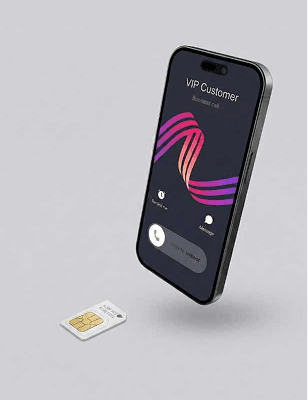
Mobile+ SIM
Business calling features built directly into a physical SIM - no additional equipment required.
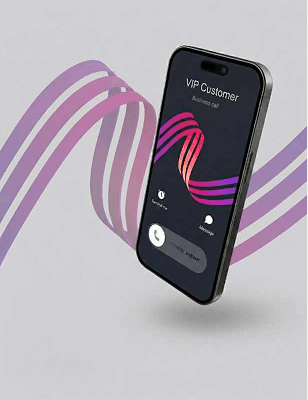
Mobile+ eSIM
Business calling features built into an eSIM for compatible devices - no physical SIM swap needed.
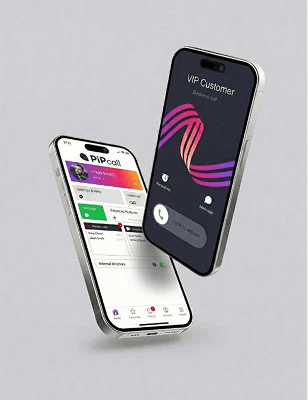
Mobile+ App
Access your business phone system through the Mobile+ app where a SIM change isn’t required.
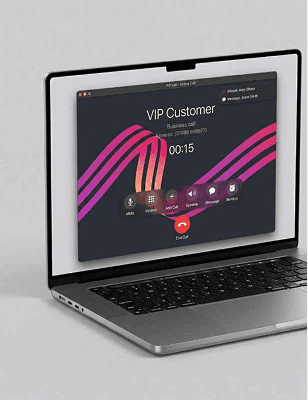
Softphone
Make and receive calls from your laptop or computer using a simple softphone app.
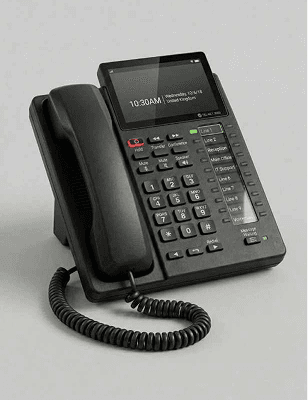
Desk phone
Integrates with most desk phones supplied by BT. It should be possible for us to switch your phone without physical interaction.
For SIM and eSIM users, calls are made through your phone’s native dialler - not a separate calling app – so the experience stays familiar.
Our Service & Cost Overview
We provide:
A mobile UCaaS service aligned to BT One Phone’s structure
Continuation on your existing mobile foundation

Clear and transparent pricing
Lower monthly costs are common. We provide a clear comparison before any decision is made — so you can move forward with confidence.
What happens next
Your switchover is managed through a clear, structured process:
Your switchover journey
Configuration review
Understand your current setup
Like-for-like confirmation
Feature parity agreed
Cost comparison quote
You approve before anything proceeds
Pilot option
Move a small group first, then roll out
Porting + activation + go-live
Managed end-to-end
Switchover timelines depend on number porting and configuration requirements. We work directly with you to minimise disruption and maintain service continuity throughout the transition.
Frequently Asked Questions
No changes are made until your setup has been reviewed and approved. We agree the rollout plan with you before activation.
Yes, you keep your numbers. Mobile and geographic numbers can be ported across, and we manage the porting process end-to-end to minimise disruption.
Most SME deployments go live within 2 weeks once your configuration is confirmed. Larger or more complex estates are typically 3-4 weeks, mainly depending on porting windows and any call flow requirements.
Yes, where suitable. Mobile+ SIM and eSIM options can extend business calling to mobile users while keeping calls in the native dialler.
You’ll have UK-based support and a structured go-live plan. We monitor the service closely after activation and resolve issues quickly, including porting and configuration queries, with a named point of contact.
Yes. Users keep their handsets, and desk phones can remain in place where required. If your devices support it, eSIM can avoid a physical SIM swap. We’ll confirm the best option during your review.
For SIM and eSIM users, everyday calls are made through the phone’s normal dialler. The app can be used where a SIM/eSIM approach is not required.
Yes. Mobile+ can support SIMs, eSIMs, app users, desktop softphones and desk phones across one business phone setup.
Usually, yes, either a replacement SIM or an eSIM activation, depending on device compatibility and the agreed migration approach. We’ll confirm the best route during your switchover review.
More on the BT One Phone shutdown

BT One Phone shutdown: what it means and what to do next
If you’ve had a BT One Phone cease notice, here’s what the shutdown means, what can stay the same, and how to move safely without disruption.

Best BT One Phone Alternatives for UK Businesses in 2026
Compare the best BT One Phone alternatives for UK businesses replacing BT One Phone. Find mobile-first replacements for field, frontline and deskless teams.

The PSTN Switch-Off: What Small Businesses Need to Know
In this blog, we break down the PSTN switch off using the classic 5 Ws and an H — Who, What, When, Why, Where, and How — to make the whole thing much easier to understand.

Start your switchover and track progress online
Submit your details once, then use your secure portal to follow each step — from configuration confirmation to go-live.
- No-obligation enquiry — submitting the form doesn’t change your service
- Clear step-by-step status — see what’s happening and what’s next
- One place for updates — your contact, timeline and next actions
Time is of the essence
Porting windows set your timeline, so the sooner a switchover starts the smaller any gap in service. Either start the migration yourself, message us for more information, or just pick up the phone and speak to an expert — all three reach the same team.
- Start the migration yourself, and track every step from your own portal
- Message us with the form on this page, and a switchover specialist will confirm your setup and next steps
- Or speak to an expert now — someone who moves BT One Phone estates all day
Nothing changes on your BT One Phone service until you have seen the plan and approved it.
Request more information
Complete the form and a switchover specialist will contact you to confirm your setup and next steps. Submitting this form does not change or cancel your BT One Phone service.